Draft
An order only exists once the money has really been taken. That is the most important sentence in this chapter, and it explains why the navigation has five pages around the word "Orders" rather than one.
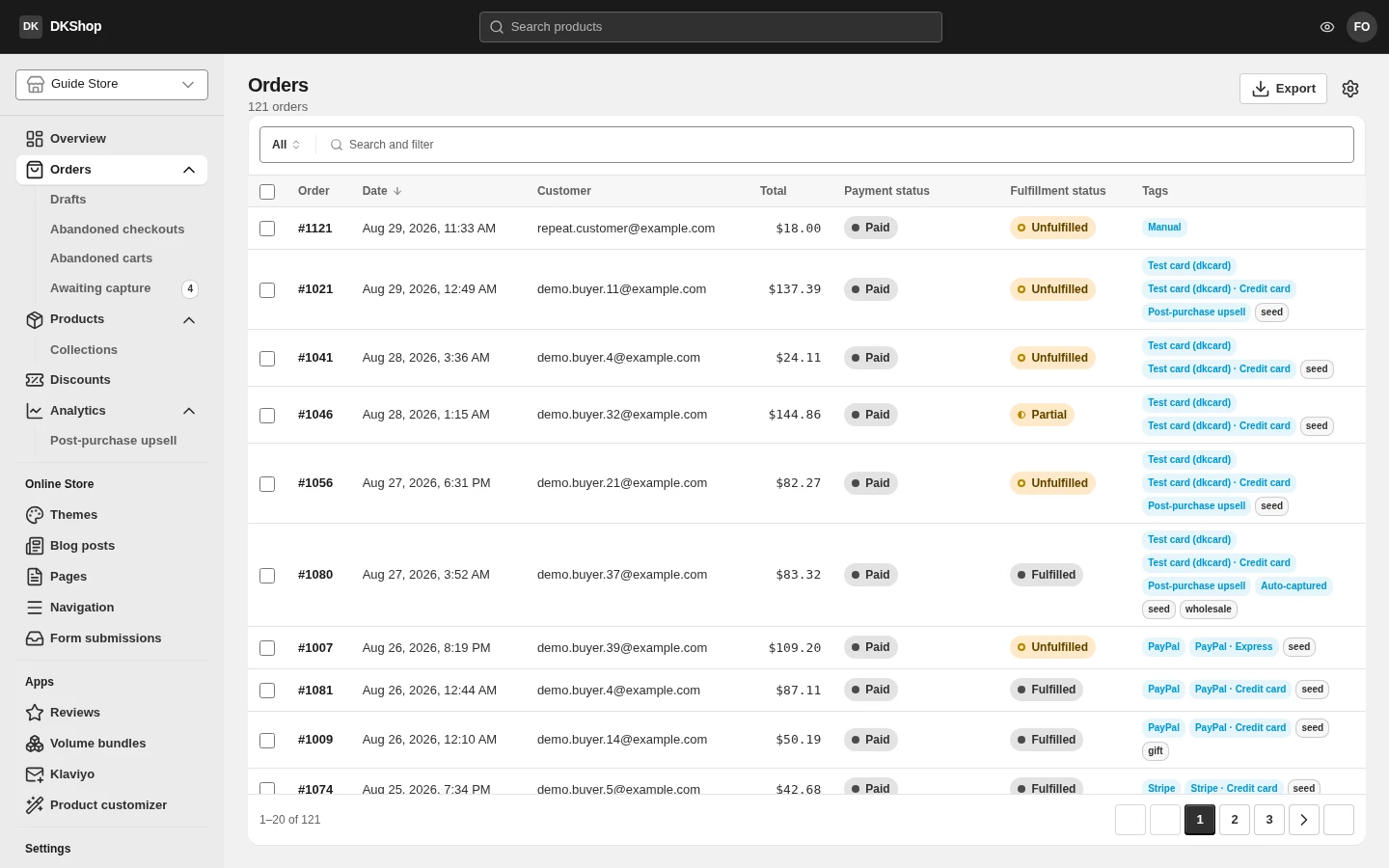
Five pages, five stages
| Page | What is in it | The money |
|---|---|---|
| Abandoned carts | Shoppers who put things in a basket and left | Untouched |
| Abandoned checkouts | Shoppers who filled in the checkout and stopped, or whose card was declined | Not taken |
| Awaiting capture | Funds held on the card but not yet taken | Being held |
| Drafts | Orders you created by hand (phone sales, wholesale) | Not taken |
| Orders | The money has been taken | Taken |
Put another way: the first four pages are the places a purchase can stop, and the last is where it completes. An order never appears under Orders before the money has arrived — so if you see an order there, it is real money.
Awaiting capture is the page worth glancing at daily. The money is held on the customer's card but is not in your account yet. Most rows here sort themselves out within minutes — that is a customer working through the post-purchase upsell funnel. The rows reading capture failed are the ones that need a person, which is exactly why they are sorted to the top. The number beside this item in the navigation is how many rows are waiting.
The order list
The columns: Order (its number), the date, Customer, Total, Payment status, Fulfillment status, Tags.
Filters — press the Search and filter bar:
| Filter | Values |
|---|---|
| Payment status | Paid · Partially refunded · Refunded |
| Delivery status | Unfulfilled · Partially fulfilled · Fulfilled |
| Order status | Open · Archived · Cancelled |
| Upsell | Post-purchase upsell · Auto-captured |
| Payment method | By gateway and by route |
| Tags | Your own labels, free text |
| Date | A date range |
Type and press Enter to search by order number or email. The order number matches
in its full form too — paste DK-1001/EU and it finds it; you do not have to
strip the prefix.
Delivery status is you, not the carrier. It records whether you have marked the order as sent, not an event from the shipping company. The store does not track parcels for you.
Export writes a CSV with Shopify's own 79 columns. Like Products: with rows ticked it exports only those; with nothing ticked it asks for the scope — and if a filter is active, it also offers "orders matching your filters".
An order in detail
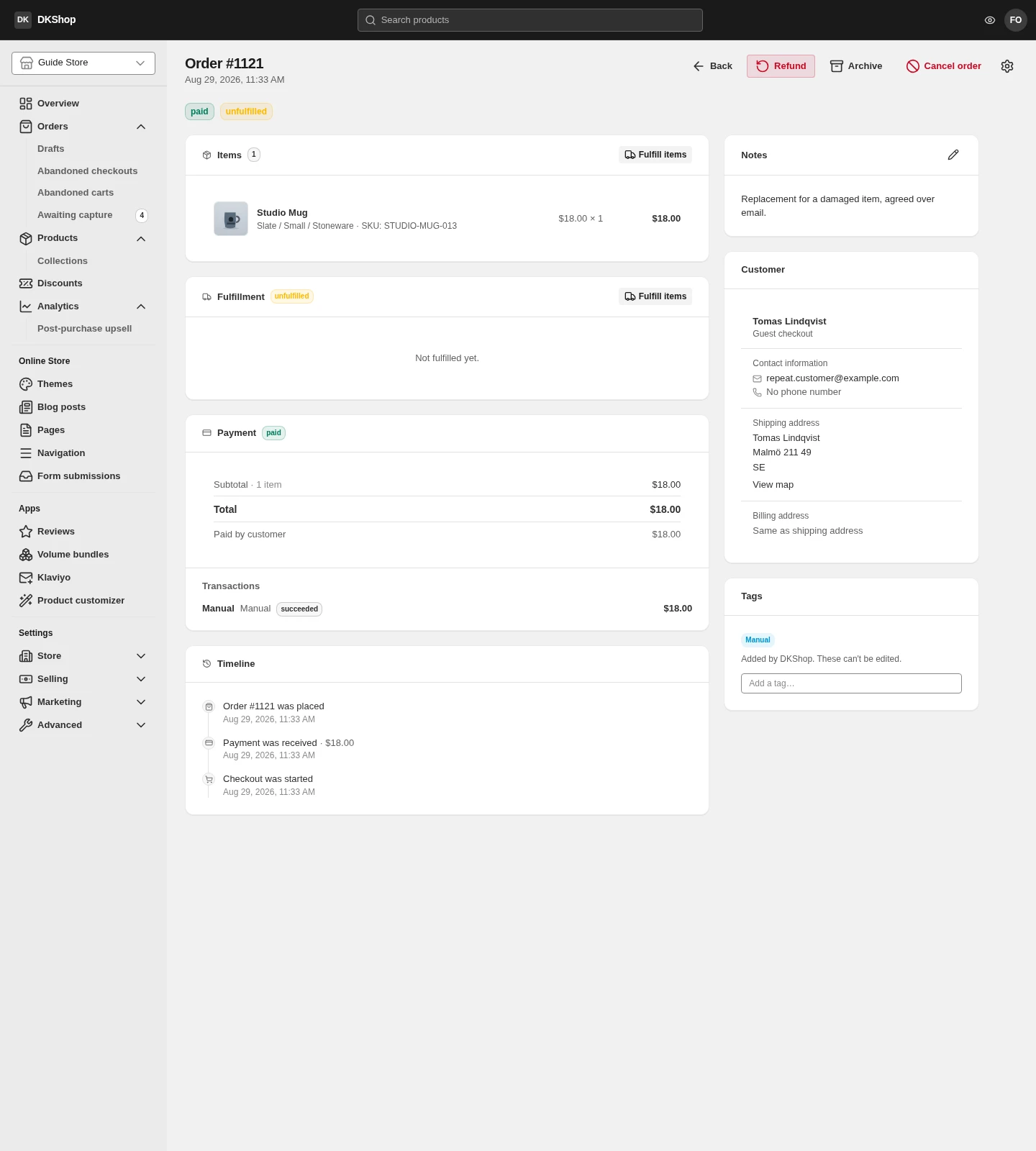
The line items — each line, its quantity and unit price. A personalised item shows the customer's choices directly under its name.
Payment / Transactions — the amount, the gateway, and the route:
PayPal · Express is not PayPal · Card is not Stripe · Apple Pay, and all
three are recorded separately rather than collapsed into the word "PayPal".
Timeline — read from the bottom up:
| Event | What it means |
|---|---|
| Checkout was started | The customer opened the checkout |
| Payment was authorized | Funds were held on the card |
| Entered the post-purchase upsell | The customer was offered more after paying |
| Payment was captured | The money was taken |
| Payment was auto-captured | The same, but done by the system because the customer abandoned the funnel |
The gap between authorized and captured is exactly the time the order spent on the Awaiting capture page.
Tags — there are two kinds, and they never mix:
- Your labels — anything you like, for your own classification.
- System labels — the blue badges, reading "Added by DKShop. These can't be edited." These are the platform's own record: the gateway, the route, whether the order went through an upsell funnel. Editing your labels never touches them.
Customer in the right column: email, shipping address, and the marketing source (UTM) if the order came from a campaign.
Order numbers
The default is #1001, #1002… You can change the prefix and suffix under
Settings → Checkout — to DK-1001/EU, for example.
Changing the prefix applies to NEW orders only. Existing orders keep the number they were given, deliberately: that number is already in the confirmation email in the customer's inbox, and changing it would make your invoice and their email say two different things. (Shopify does exactly the same.)
Reference — statuses
| Payment status | What it means |
|---|---|
| paid | Paid in full |
| partially_refunded | Partly refunded |
| refunded | Fully refunded |
| pending | Not finished — this status never appears under Orders |
| Fulfillment status | What it means |
|---|---|
| unfulfilled | Nothing sent yet |
| partial | Partly sent |
| fulfilled | All sent |
| Order status | What it means |
|---|---|
| open | Active |
| archived | Done with, put away to keep the list tidy |
| cancelled | Cancelled |
| Page | Path |
|---|---|
| Orders | /orders |
| Drafts | /draft-orders |
| Abandoned checkouts | /abandoned-checkouts |
| Abandoned carts | /abandoned-carts |
| Awaiting capture | /awaiting-capture |
Next: Themes and the theme builder.
Verified against 82dff35b1474 · 2026-08-29