Draft
A draft order is an order you write yourself, rather than one a customer places. It is for phone orders, wholesale, replacing a faulty item, or any deal agreed outside the store that still needs a real order in the system.
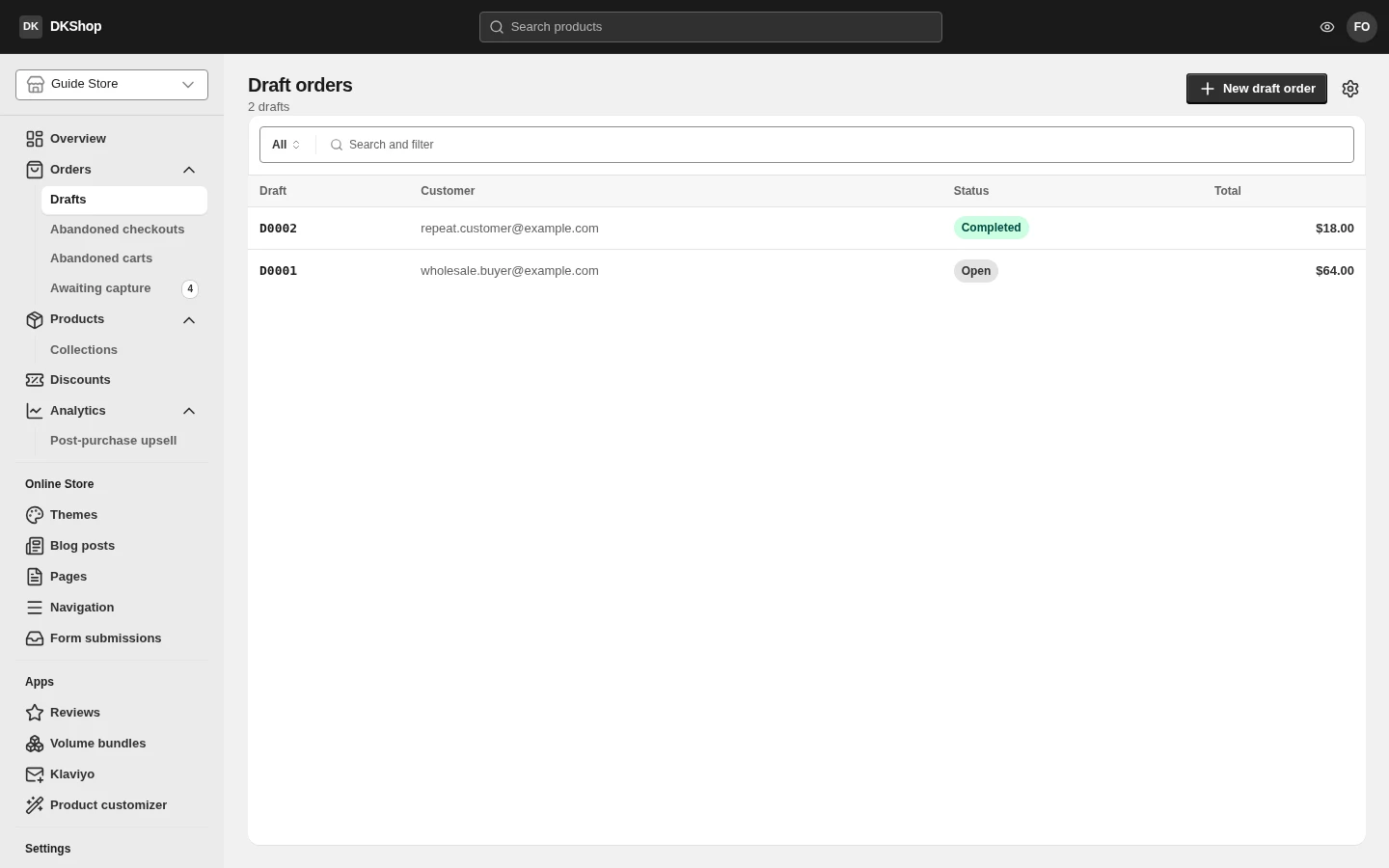
Do not confuse this with Abandoned checkouts. The Drafts page lists only orders you create. The hundreds of customers who opened the checkout and stopped are on a different page, even though technically those are "drafts" too. Two different jobs, two different screens.
Writing an order
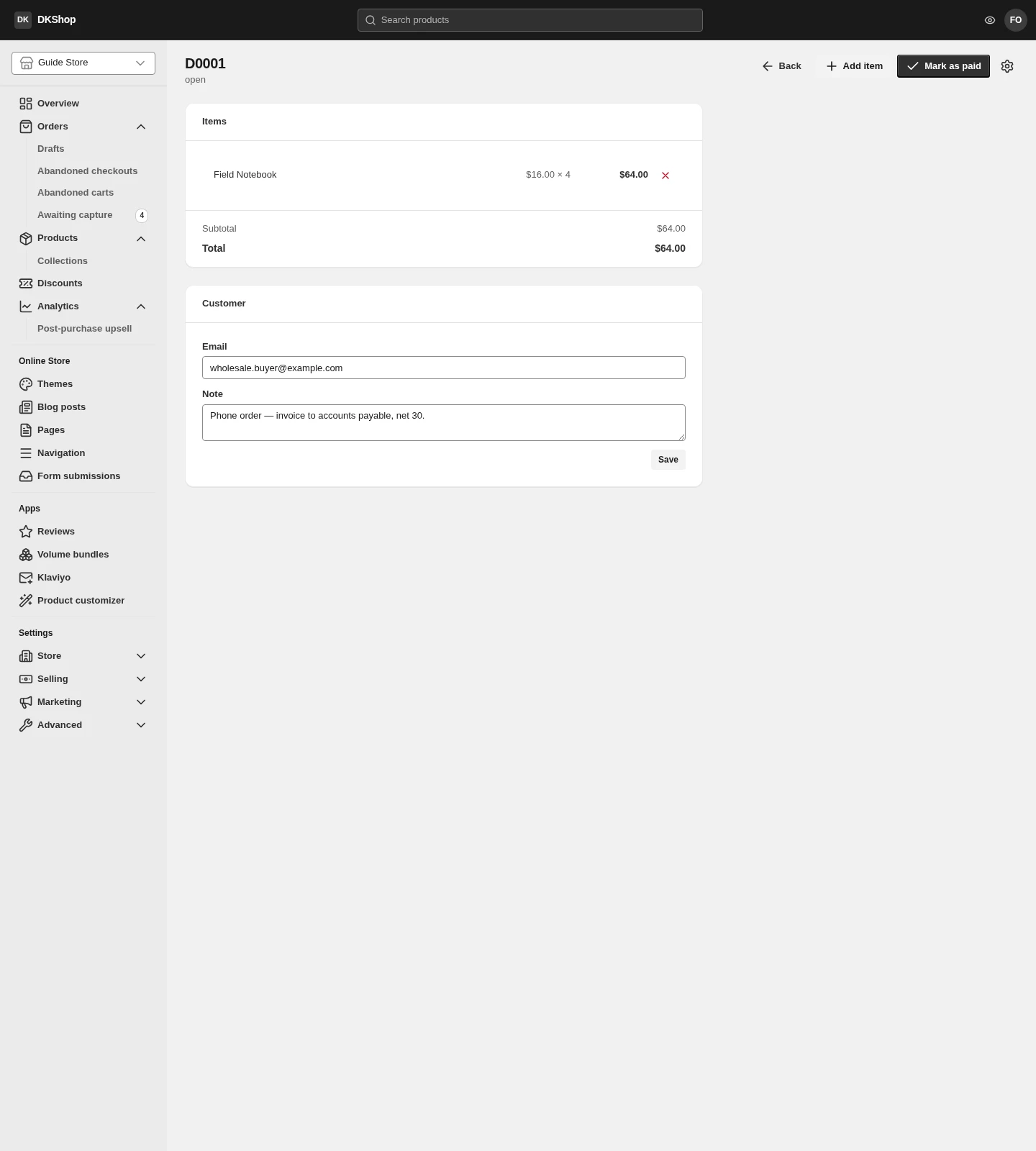
New draft creates an empty order numbered D0001, D0002… — its own sequence,
which never touches real order numbers.
Add item adds a product. The price is captured at the moment you add it: change the product's price afterwards and the draft keeps the old one. That is what you want — you already quoted that price to the customer.
Customer has two fields: Email and Note. The note is yours alone and is never sent to the customer; it is where "ordered by phone, paying by bank transfer in 30 days" goes.
Mark as paid turns the draft into a real order. It appears in the Orders list, decrements stock, and counts towards your revenue reports.
No real money moves through any gateway. Mark as paid means "I have received the money some other way" — a transfer, cash, an offset against an account. The transaction is recorded as
manual. Whether the money really arrived is on you.
Once marked paid the draft can no longer be edited — it has become a real order, and everything from then on happens on the order page.
Two limits to know up front
This is the most important part of the chapter, because neither limit appears on the screen.
There is no shipping address field
The editor has only Email and Note. There is no address field. Which means an order created by Mark as paid has an empty shipping address, and you have nothing to print on a label.
For digital goods or collection in person that is fine. For anything you post you have to ask for the address and record it somewhere else — in practice, in the Note field — and type it out again when you pack.
Shipping is not charged
Same reason: there is nowhere to choose a delivery method, so the order's shipping is $0.00 however heavy it is. The only way to charge for postage is to add it as a line item — at which point it is taxed as goods rather than as shipping.
Both limits are in the interface, not in the system underneath — there are places to store an address and a shipping charge. If you write physical orders often, this is worth raising with support.
What else is missing
Two buttons Shopify has and this does not, yet:
- Send an invoice to the customer — not available. If you want the customer to pay themselves, send them a link to the store and let them order normally.
- Collect payment through a gateway — not available. There is only Mark as paid, for money you have already received another way.
So a draft order today is a record-keeping tool, not a collection tool: it records a transaction that has already happened, so that stock and reports add up.
Reference
| Where | Control | Notes |
|---|---|---|
| List | New draft | Creates an empty order numbered D#### |
| List | Status column | open (editable) · completed (now a real order) |
| Editor | Add item | The price is captured when you add it |
| Editor | ✕ on a line | Removes the line |
| Editor | The customer's contact | |
| Editor | Note | Yours alone. In practice, also where the address goes |
| Editor | Save | Saves the Customer section |
| Editor | Mark as paid | Creates a real order. Cannot be undone |
| — | Shipping address | Cannot be entered |
| — | Shipping cost | Not charged — always $0.00 |
| — | Send invoice / collect online | Not available |
Next: Orders — everything you do once an order exists.
Verified against 82dff35b1474 · 2026-08-29